
Interactive trampoline games connect a player’s movement on a trampoline with a digital game. A commercial system needs more than a projector: it combines compatible motion sensing, computing, software and a display arrangement with an appropriate physical play setup.
Before buying, confirm three things: whether the quote is for projection or a monitor-based system, whether the trampoline itself is included, and whether the complete configuration fits your venue. These decisions make supplier quotations easier to compare and help prevent missing equipment or unexpected site work.
This guide is for indoor playground operators, family entertainment centers, trampoline venues and equipment distributors evaluating a motion-sensing trampoline game system.
Projection or Monitor: Which Trampoline Game Format Are You Buying?
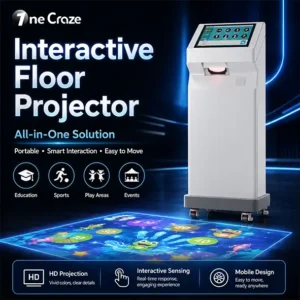
The term “interactive trampoline projector” is sometimes used loosely. Ask the supplier to identify the actual display technology and show a demonstration of that configuration.
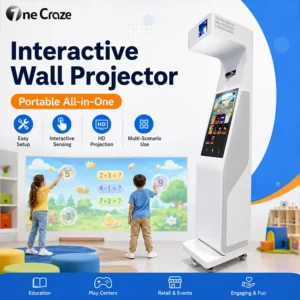
Wall-Projection Trampoline Games
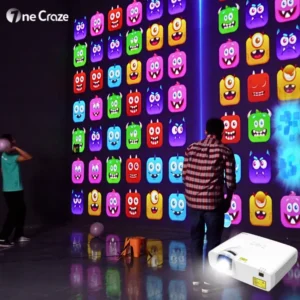
In a wall-projection arrangement, the player faces a projected game while using the trampoline. The proposal should identify the projector, image size, projection surface and mounting position. Room lighting, the projection path and the sensor’s view all need to be considered together.
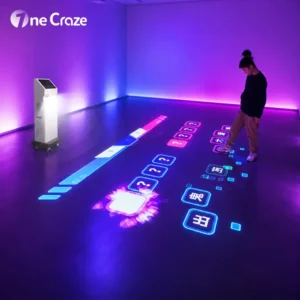
Do not confuse this with projection directly onto a trampoline mat. Those are different arrangements. A demonstration with a game on the wall does not prove that the same package can project onto the jumping surface.
Monitor-Based Interactive Jumping Games
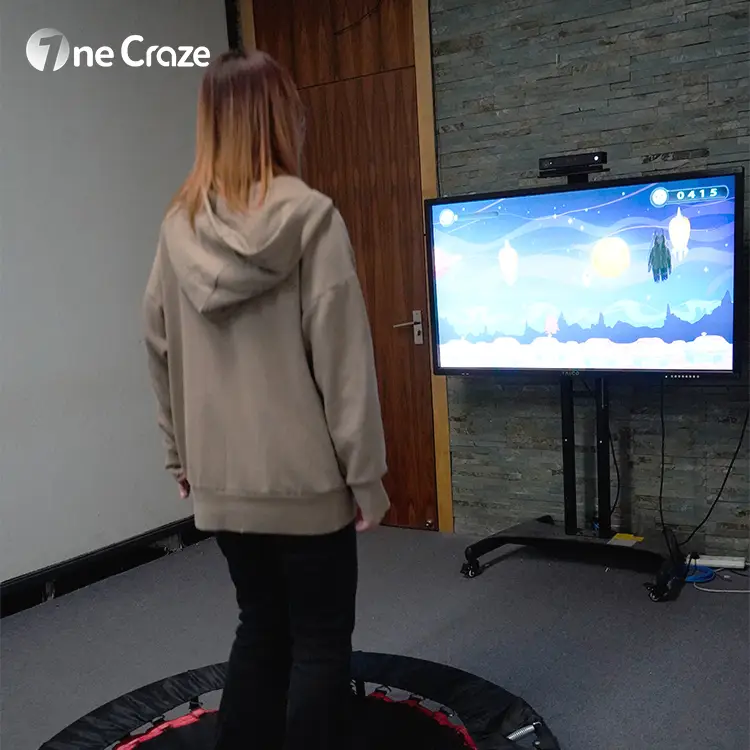
A monitor-based arrangement displays the game on a screen in front of the player. Confirm the display size, stand or mounting arrangement, sensor position and cable routing. A monitor included in a quotation should not be assumed to come with a projector as well.
OneCraze’s interactive trampoline product information includes a monitor-based specification, while the product gallery also illustrates projected gameplay. Request a configuration-specific equipment list and matching demo so the purchase documents describe the system you actually want.
What Should an Interactive Trampoline Game System Include?
Ask the manufacturer to divide the supply scope into clear groups. A product photograph may show a complete demonstration area without establishing that every item is included.
- Physical equipment: the trampoline, any specified padding or enclosure, and installation accessories included in the offer.
- Interactive hardware: motion sensor, computer, projector or monitor, controls, audio equipment where applicable, and connecting cables.
- Software: named games, supported player modes, language options and licence terms.
- Services: installation documentation, configuration, calibration assistance, operator training and the agreed support arrangements.
Mark each item as included, optional or supplied locally. For a software-and-sensor retrofit package, ask which existing computer and display models are compatible. For a complete attraction, clarify who supplies and installs the physical trampoline equipment.
Can You Add Interactive Games to an Existing Trampoline?
Potentially, but compatibility must be reviewed before purchase. Send the supplier the trampoline make or model, dimensions, bed height, enclosure details, photographs and the proposed display location. The sensing setup and game must support the intended physical arrangement.
Ask for a written distinction between equipment that can remain, equipment that needs repositioning and equipment that must be replaced. A package demonstrated on a small rebounder should not automatically be treated as a retrofit kit for a large trampoline court.
For context, UTS’s modular interactive system documentation states that adding its Jumper format may require additional tracking equipment and recalibration. That is a useful reminder to verify retrofit scope; it is not a compatibility claim for OneCraze equipment.
Do not modify the physical trampoline based only on a game-system demonstration. Have the trampoline supplier and appropriately qualified installation team review the proposed integration. The digital game does not replace the physical equipment’s instructions, inspection or venue operating procedures.
Plan the Whole Attraction, Not Just the Trampoline Footprint
Separate the Jumping Area from Display and Access Space
A footprint in a product table is not necessarily the full area needed to operate the attraction. Request a layout identifying the trampoline, display, sensor, equipment access, participant entry and exit, supervision position and waiting area.
Provide ceiling height and the location of beams, lights, suspended equipment and other obstructions. The required clearances depend on the physical trampoline and intended use; do not borrow a room-height figure from a different model or installation.
Check Tracking and Visibility in Your Actual Room
Send room photos under normal operating lighting. Ask the supplier to explain the sensing coverage and show how the proposed player position relates to it. Nearby visitors, barriers or other attractions should be included in the site review rather than omitted from the drawing.
For projection, assess image visibility and potential obstruction of the light path. For a monitor, assess the viewing position and equipment placement. In both cases, agree on protected cable routes and service access with the installer.
How Should Buyers Evaluate Gameplay and Player Capacity?
Watch a complete session rather than only an edited highlight video. Ask to see how a player enters the game, how motion changes the on-screen action, how the session ends and how the next session begins.
- Input: which movements does the game recognize, and what actions are expected from the participant?
- Game control: can staff select content, adjust available settings, exit a session and recover from tracking loss?
- Player mode: is the game single-player, turn-taking or genuinely simultaneous multiplayer?
- Content rights: which demonstrated games are licensed and included with the quoted system?
Keep digital player capacity separate from the permitted use of the physical trampoline. A “two-player” game description does not establish permission for two people to share one trampoline. Confirm whether the proposed format uses separate stations, alternating turns or another approved arrangement.
If you need a family entertainment center attraction with a predictable session flow, test the briefing, gameplay and changeover together. Automated scoring or game menus do not, by themselves, remove the need for supervision.
Compare Total Project Cost and Supplier Responsibilities
The lowest equipment price is not necessarily the lowest installed cost. Request separate figures for hardware, the trampoline if supplied, software, freight, site preparation, installation, training and any recurring content or support charges.
For distributors, also confirm the configuration supplied per unit, packing dimensions, spare-parts arrangements, documentation language and the process for supporting end customers. Ask which warranty terms apply to the electronic system and which apply to the physical play equipment.
OneCraze supplies motion-sensing interactive trampoline game systems for commercial entertainment projects. A useful manufacturer proposal should connect the equipment schedule, selected games and installation responsibilities to your site brief—not rely on a generic description of an “all-in-one solution.”
Agree on a Demonstration and Handover Checklist
Before shipment, request a demonstration of the quoted hardware and licensed games. Before opening the attraction, arrange the necessary site checks with the supplier and responsible local team.
- Match the delivery: check the supplied components and software against the agreed equipment list.
- Check the configured interaction: demonstrate the intended game actions and supported player mode in the approved setup.
- Test the operator workflow: have staff start a game, change content, end the session and follow the documented restart procedure.
- Record the handover: retain setup instructions, licence details, support contacts and any outstanding issues.
Game acceptance and physical equipment acceptance are separate checks. Keep both within the project plan rather than treating a responsive screen as proof that the whole attraction is ready for operation.
FAQ: Buying Interactive Trampoline Equipment
Is a Normal Projector Enough to Make a Trampoline Interactive?
No. A projector displays the image. Motion-responsive gameplay also needs compatible sensing, computing and software configured for the trampoline activity.
Does the Price Include the Trampoline?
Not necessarily. Suppliers may quote a retrofit electronics package or a broader equipment package. Ask for the trampoline, display, sensing hardware, software and installation items to be listed separately.
Is There One Minimum Room Size for Every System?
No. Requirements depend on the trampoline, display arrangement, tracking setup and operating layout. Obtain model-specific dimensions and clearances rather than using the projected image size as the room requirement.
Can Two Players Use One Trampoline?
Do not infer that from the software’s player count. Follow the physical equipment’s permitted use and the approved installation arrangement. Ask the supplier to explain exactly how any multiplayer mode is delivered.
What Should We Send for a Manufacturer Quotation?
Provide your venue type, room dimensions and photos, ceiling height, intended audience, existing trampoline details, preferred display format, required games, quantity and destination country. State whether you need a retrofit package or a complete equipment proposal.
Request an Interactive Trampoline Solution for Your Venue
Send your trampoline project brief to OneCraze to discuss a configuration and quotation. If you are comparing different activities for the same venue, explore our interactive projection equipment range or read the ball wall retrofit guide for indoor playgrounds. Compare each attraction by its actual gameplay, space and supply scope rather than assuming the same projection kit serves every activity.