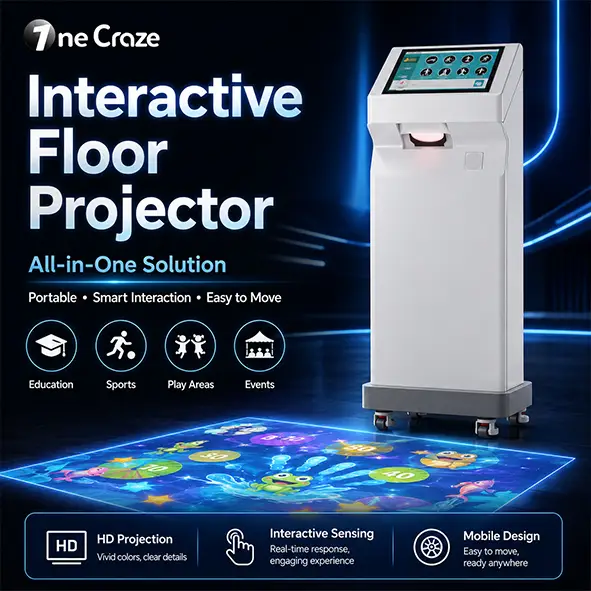
A portable interactive floor projector for events should be evaluated as a repeatable event setup, not just a machine that produces an attractive image. Check how the complete package travels, fits different venues, responds after relocation and returns to a ready-to-play state between groups.
This guide is for event agencies, AV rental companies and distributors buying equipment for repeated use. It is not an offer of local equipment hire. If you only need one event delivered, compare a managed rental service separately from purchasing a machine.
What makes an interactive floor system suitable for events?
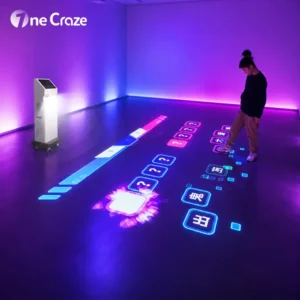
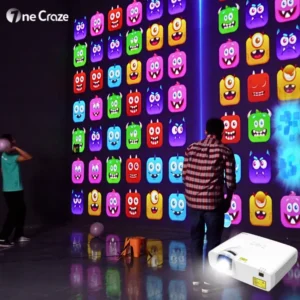
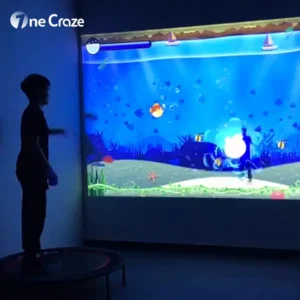
An interactive floor system combines a projected image, sensing and software so movement can trigger a game response. A normal projector playing an animation does not, by itself, provide that interaction. For a trade-show booth or pop-up activity zone, the relevant question is whether visitors can understand, join and finish the experience within your event schedule.
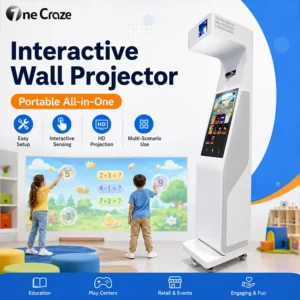
A portable all-in-one cabinet can reduce the number of separate components to position. However, “portable” does not establish the packed weight, loading method or setup time. Ask the supplier to demonstrate the complete workflow with the configuration you intend to buy.
For an example of an integrated product format, see the OneCraze Mini SAIO floor machine. Its product page lists an integrated computer, projector, touchscreen and sensor. Confirm the current configuration and event suitability in your quotation; a product category alone is not a promise of rental readiness.
Check the whole footprint, not only the projected play area
Allow for the cabinet, players and waiting visitors
Draw the equipment position, projected rectangle, play space and queue on the same venue plan. A booth with enough floor area for the image may still lack space for the machine or for visitors to enter and leave. Keep the activity within the area approved by the event organizer rather than treating an adjacent aisle as extra play space.
Give the supplier the narrowest door, lift dimensions and route from unloading point to booth. Check both operating dimensions and packed dimensions. A wheeled unit may move easily on a level floor while still requiring a separate loading plan for steps or a vehicle.
Test under the actual event lighting
Request a demonstration on a representative surface with the lights you expect to use. Do not approve image visibility from a dark-room video alone. Ask what happens when overhead lights, daylight or neighboring displays illuminate the play area.
Tell the supplier whether the venue uses patterned carpet, a reflective finish or a removable floor covering. Confirm the proposed surface with both the equipment supplier and venue. Our interactive projector room requirements guide covers the measurements to collect before selecting equipment.
Compare transport and setup as one workflow
Ask for a demonstration that begins with the equipment packed, rather than already powered on. Record unloading, unpacking, positioning, connections, any required calibration and the final gameplay check. Request a realistic staffing plan instead of assuming that one person can handle every stage.
| Event task | What to confirm before ordering |
|---|---|
| Transport | Packed size, weight, protective case and loading method |
| Positioning | Cabinet location, image area and permitted floor surface |
| Startup | Power requirements, login steps and operator controls |
| Relocation | When recalibration is needed and who can perform it |
| Live operation | Game selection, restart procedure and support contact |
| Pack-down | Shutdown sequence, packing checklist and component protection |
The LUMOplay portable interactive floor guide illustrates that a transportable system can still involve separate projector, camera and computer setup, followed by calibration. That is one platform’s workflow, not a universal procedure for all-in-one machines. Obtain the instructions for your exact model.
Does moving the machine require recalibration?
There is no universal answer. Ask the manufacturer which changes require a new alignment or sensing check: cabinet position, projection size, sensor position or the play surface. Have an operator repeat the move-and-test procedure during the demonstration.
Before opening an event, test interaction near the center and edges of the intended play area. Confirm that the selected game responds where participants expect it to. Keep a record of the approved setup so staff do not rely on memory at the next venue.
Choose games for short visits and clear handover
For an exhibition or brand activation, assess a small shortlist of games rather than comparing total library counts. Can a first-time visitor understand the activity without a long explanation? Is the end of a round obvious? Can staff quickly return to the start screen?
Test with the intended number of players. A system detecting several people does not automatically mean every game supports the same group size, scoring format or pace. Check supported languages, audio controls and whether instructions remain understandable in a noisy hall.
Estimate throughput from a rehearsal, not a headline claim
Time the complete cycle: explanation, gameplay, exit and reset. For illustration only, a four-person round taking three minutes in total would allow a theoretical maximum of 80 player turns per hour: 60 ÷ 3 × 4. This is not a product capacity claim or a forecast of unique visitors.
Actual throughput will be lower when there are gaps, extra explanations or interruptions. Rehearse your chosen game with your staff, then use the observed cycle time to plan queues and staffing.
Separate branded content from the standard game package
For a branded interactive floor experience, distinguish a logo on the cabinet, a branded start screen and a fully customized game. These are different deliverables. Ask which changes the quoted software permits and which require development.
Prepare approved artwork, target language, intended interaction and the event deadline. Agree a preview, revision allowance and final content approval date. Check whether the approved content can be reused at later events and on multiple machines.
Also confirm rental-business use, software activation limits and internet requirements in writing. If offline operation matters, ask the supplier to demonstrate the intended workflow without a network connection after any required activation. Do not assume that a game library and a multi-unit rental license are the same thing.
Run a trial deployment before building a rental fleet
A useful pilot includes a change of location and a different operator, not only a showroom session. Have your event team unpack, set up, select games, restart and repack the system using the supplied instructions. Note which tasks still require help.
Ask how support will work during your event hours and who handles a replacement component or software recovery. Obtain the applicable support terms; do not assume round-the-clock availability or a same-day replacement. For a larger order, record the configuration, software entitlement and accessories assigned to each unit.
OneCraze manufactures and supplies interactive projection equipment. To discuss a purchase for an event business, send your event equipment requirements with destination, quantity, venue examples, transport constraints and intended content. Request a model-specific demonstration and written scope. Our interactive projection quotation checklist helps compare the resulting offers.
Frequently asked questions
Can I buy an interactive floor projector for a rental business?
Yes, you can evaluate a system for that business model, but confirm that the software terms permit the intended rental use. Also verify transport protection, repeatable setup and support arrangements before committing to a fleet.
Does a portable interactive floor need a ceiling mount?
Not necessarily. Some all-in-one systems project from a floor-standing cabinet. Others use separate stands or overhead equipment. Ask for the installation drawing of the specific model rather than relying on the word “portable.”
Can an interactive floor projector be used outdoors at an event?
Do not assume an indoor model is suitable outdoors. Obtain written confirmation of the environmental conditions, lighting limits and protection required for the exact system. A canopy alone does not establish suitability.
How long does an event setup take?
There is no reliable universal time. Measure the complete workflow with your equipment, crew and venue conditions, including unpacking, connections, calibration if needed and a gameplay check. Allow time for organizer access and venue delays separately.
Can we add a client logo or custom game?
Ask which branding options are available for the proposed package. A logo change and a custom interactive game are different scopes. Confirm artwork requirements, development time, revisions and reuse rights before promising either to a client.