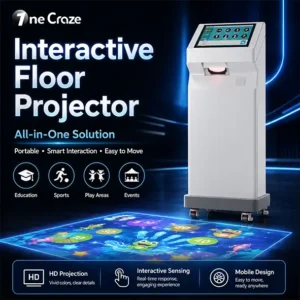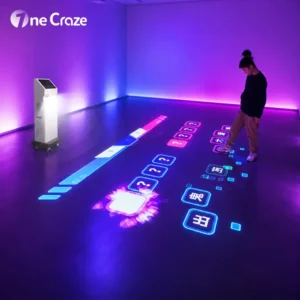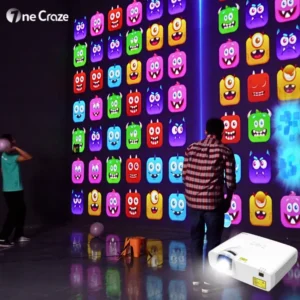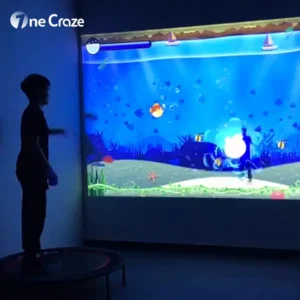
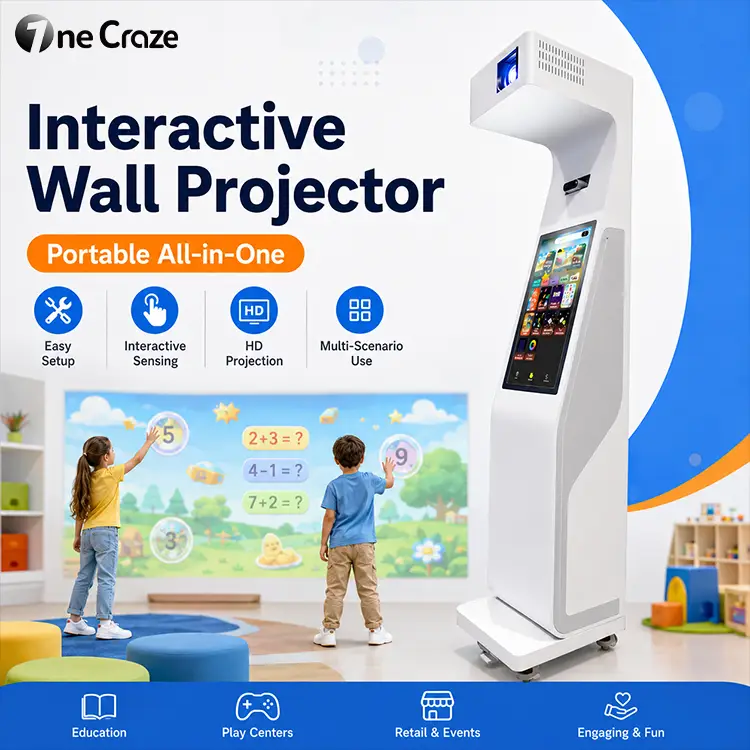
Compare interactive projection system quotes against the same equipment scope, game access, site requirements and service responsibilities. A lower headline price is not automatically a lower project cost, and an “all-in-one” cabinet does not tell you which installation or software services are included.
For distributors, school purchasers and indoor playground operators, the useful question is not simply “How much is an interactive projector?” It is “What will this exact offer let us install, operate and maintain at our venue?”
This guide provides a practical way to compare written offers without assuming a universal package price or promising a particular return on investment.
Start with one project brief for every supplier
Send every supplier the same brief before comparing prices. Otherwise, one company may quote a portable floor machine while another prices a ceiling-mounted system with a different image area and content package.
Specify the venue type, intended activity, target users, number of units and destination. Include room photos, desired image dimensions, operating-light conditions and whether the equipment will move between rooms. Our interactive projector room requirements guide explains the measurements to prepare.
Ask suppliers to identify any assumptions they made. For example, did they assume an existing suitable wall, nearby power, buyer-provided installation or only one software activation?
What should an interactive projector quotation include?
Use the following headings as your comparison sheet. Each item should be marked included, optional, buyer-supplied or not confirmed. An empty cell is not evidence that a service is free.
Hardware: identify the complete configuration
Request the machine model, projector model, computer configuration, sensing hardware and included accessories. Record quantities rather than accepting a general description such as “complete interactive solution.”
The distinction matters because packages can be assembled differently. For example, LUMOplay’s equipment documentation identifies a computer, camera and display as the core hardware for its floor or wall projection setups. This describes that platform—not a requirement to use its components in every manufacturer’s machine.
For an integrated cabinet, ask which components are inside it and which arrive separately. Confirm the power configuration, connection requirements and replacement-part identification for the quoted unit.
Software: compare usable access, not game counts alone
Ask for a named list of the games in your proposed package. Mark which support your intended surface, language and interaction method. A library count is less useful than knowing which activities your staff can actually run.
Then request written answers to these questions:
- How many machines and venues does the offer cover?
- Is access time-limited or supplied under a perpetual license?
- Which updates or new games are included?
- Does normal operation require an internet connection?
- What happens when the computer is replaced or the equipment changes owner?
- Which functions remain available if a paid service is not renewed?
These are questions to confirm, not assumptions about OneCraze’s standard terms. As an industry example, EyeClick’s pricing page asks buyers to confirm content-access periods, renewal fees and included services in their quotation. Apply the same written-clarification discipline to any supplier.
Installation: name who does each job
Replace “installation included” with a list of deliverables. Who supplies the mounting hardware? Who installs it? Who prepares the surface, routes cables, calibrates the system and trains the operator?
Distinguish remote setup guidance from an on-site technician visit. If the buyer must arrange a local installer, obtain that scope separately. Do not assume the equipment supplier’s demonstration covers building work at your location.
For a portable machine, ask what initial setup and recalibration are required after relocation. For the format comparison, see our portable versus fixed interactive wall projector guide.
Compare offers with a four-column scope sheet
Create four columns: requirement, Supplier A, Supplier B and clarification needed. Keep the descriptions short enough that omissions remain visible. Use the following evidence checklist to fill those columns.
| Requirement | Evidence to request |
|---|---|
| Equipment identity | Model numbers, quantities and configuration sheet |
| Playable content | Named game list and supported inputs |
| Software access | Activation count, access period and renewal conditions |
| Site fit | Drawing tied to your room measurements |
| Setup work | Named responsibilities and excluded work |
| Delivery | Packing details and precise delivery scope |
| Operator handover | Training format, manuals and setup records |
| After-sales process | Contact route, diagnostics and repair procedure |
Do not score an unresolved item as equivalent to a confirmed inclusion. Ask for an updated written offer before choosing between substantially different scopes.
A like-for-like quotation example
Suppose Offer A includes a portable cabinet and a game package but leaves freight and initial setup unpriced. Offer B lists equipment, delivery and a remote setup session separately. Their headline totals cannot yet establish which proposal is less expensive for your project.
First ask Supplier A to price the missing items. Then check whether both offers cover the same number of activations and the same activities. If one package still lacks something you require, record that gap rather than treating it as an automatic saving.
Check the handover before discussing optional upgrades
A clear handover helps the buyer know what is ready for use. Ask the supplier to propose checks for the exact unit and software package in the order.
Useful evidence may include a startup demonstration, game selection in the agreed language, input detection at several positions and the procedure for restarting after a normal shutdown. Request the relevant configuration records and operator instructions.
Separate a factory demonstration from acceptance at your venue. The final room has its own lighting, surface and layout. Agree which checks will be repeated after installation and who will resolve an identified mismatch.
Custom branding, additional languages and bespoke games should be separate options with their own scope. For a custom game, define the intended interaction and revision process before treating a short promotional video as a finished specification.
Make after-sales responsibilities specific
Ask what the operator should do if the image displays correctly but player inputs are not detected. Who receives the report, what information do they need, and how is the issue escalated?
Also clarify whether replacement parts, return shipping, local labor and on-site visits are included or quoted separately. A warranty duration alone does not answer those operational questions. Request the applicable written coverage for your order without assuming that every component has identical arrangements.
For distributors managing several customers, ask how serial numbers, software activations and support records will be associated with each machine. That provides a more useful discussion than asking only for a bulk discount.
Send a request that produces a comparable manufacturer quote
Use this short inquiry as a starting point:
“We are comparing interactive projection systems for [venue type] in [country]. We need [quantity] units for [floor or wall activity]. Attached are our room measurements and photos. Please quote the proposed machine configuration, named game package, software access conditions, delivery scope, setup responsibilities and after-sales process. Show optional items and exclusions separately, and identify any site assumptions that need our confirmation.”
OneCraze manufactures and supplies interactive floor and wall game equipment. Browse the interactive machine range and send your project brief to request an offer for your application. Use the written configuration and scope—not the words “factory direct” alone—to evaluate the proposal.
Frequently asked questions
Does all-in-one mean everything is included in the price?
No. It describes an integrated equipment format, not every service in the offer. Check software access, delivery, site preparation, installation and operator handover separately.
How can I compare interactive floor projector quotations fairly?
Give suppliers the same brief and compare named components, usable games, site assumptions and service scope. Resolve missing items before comparing complete project totals.
Should I choose the supplier with the most games?
Not on that number alone. Request a named list and demonstrate the games relevant to your audience, language and interaction method. Confirm that those games are included in the quoted access terms.
Is remote installation support the same as on-site installation?
No. Remote support provides guidance without automatically supplying local labor or carrying out work at the venue. The quotation should identify who performs mounting, wiring, calibration and handover.
What should a distributor ask a manufacturer before ordering several units?
Ask for a consistent configuration, per-unit software access, identification records, support responsibilities and separately priced customization. Consider confirming a representative unit against your requirements before agreeing the scope of a larger rollout.