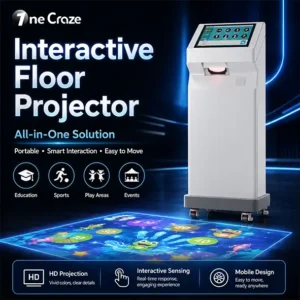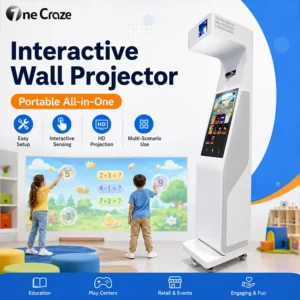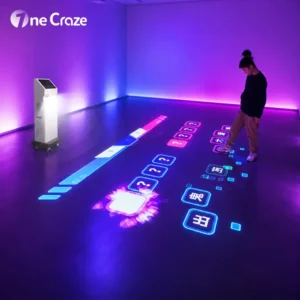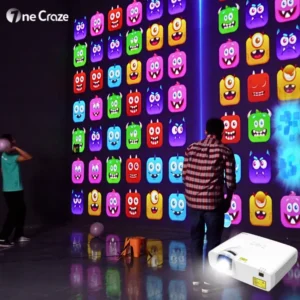
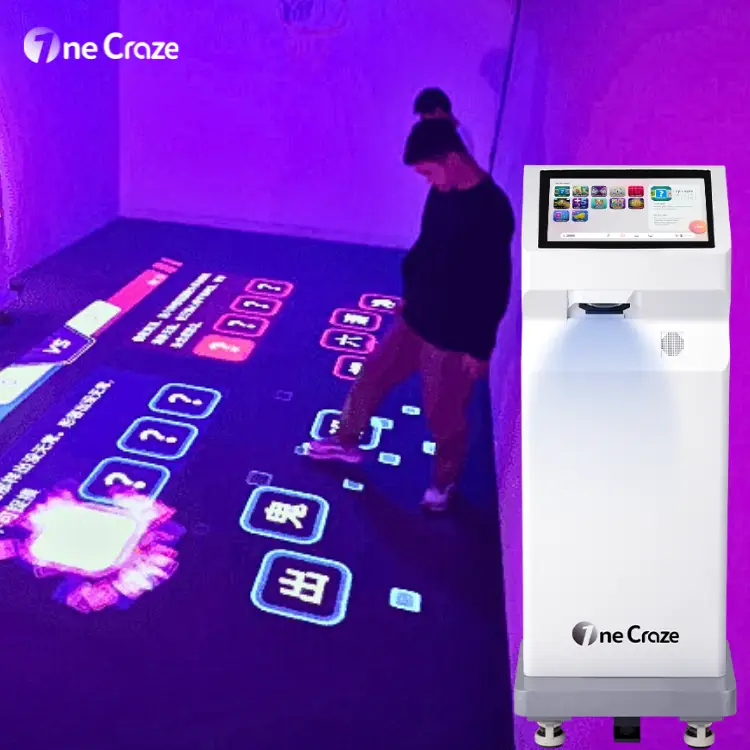
A portable interactive floor projector for schools combines projection, motion sensing and game software in a movable system. Pupils interact with activities on the floor rather than using a handheld controller. For school buyers, the best starting point is a lesson and room plan—not the largest advertised game count.
Choose a mobile system when several suitable rooms need to share one unit and staff can manage its movement and setup. Consider a fixed installation when one dedicated room will use it regularly. In either case, confirm the game content, participant capacity, operating workflow and software terms before ordering.
Start with the School Activity, Not the Equipment List
A preschool movement corner, a primary-school learning station and an indoor PE session have different requirements. Write down what pupils should do and what the teacher needs to control.
- Kindergarten or preschool: request simple instructions, visible targets and activities staff can explain without lengthy reading.
- Primary-school learning stations: check whether the actual questions, language and difficulty suit the intended lessons.
- Movement breaks and indoor PE: review the space needed for the demonstrated actions, the session length and how the teacher stops or changes an activity.
These are selection criteria, not a claim that every package includes each activity. Ask for a named game list and a demonstration of the activities you intend to use. A sports video, a visual theme and a scored interactive game are different content types.
What Makes a Portable Floor Projector Practical Across Classrooms?
Check the Route Between Rooms
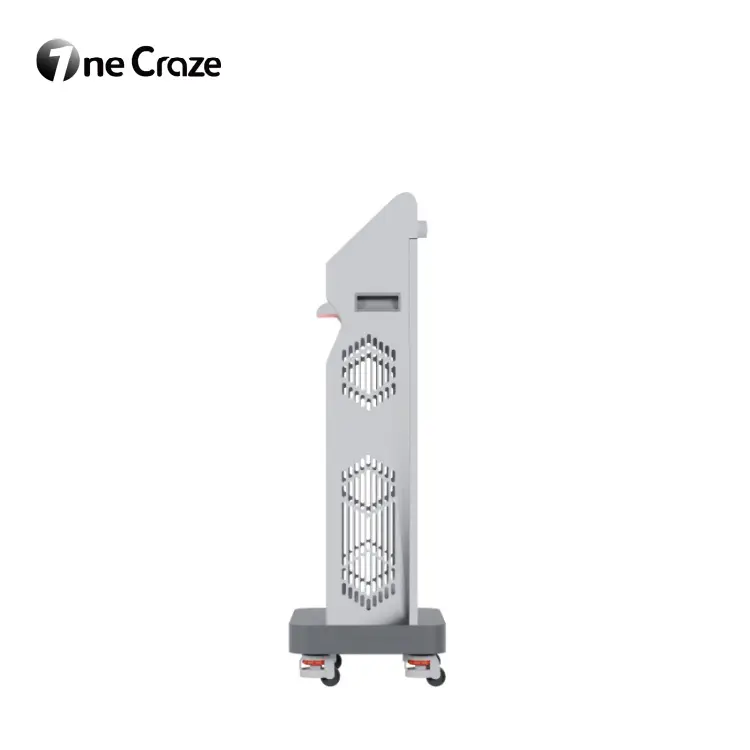
“Portable” can mean a wheeled cabinet rather than equipment that one person can carry. Check the unit’s dimensions and weight against doorways, storage space, thresholds and any lifts on the route. Ask the supplier for its moving and handling instructions; do not assume stairs are part of normal relocation.
As a concrete example, the published OneCraze Mini SAIO specification lists a 500 × 400 × 1,300 mm cabinet, 60 kg net weight and a 3.7 × 2.1 m projection size. These are model-specific figures to reconfirm in the quotation—not a promise that the machine will suit every classroom. The image dimensions alone do not describe the full operating area.
Include Setup Time in the Shared-Room Schedule
Ask staff to rehearse the entire transfer: shut down as instructed, move the equipment, reconnect it, check alignment and launch the next activity. Confirm what checks or recalibration are needed after relocation. A short demonstration of gameplay does not establish how quickly the system can move between lessons.
If daily transfers are inconvenient, a shared activity room with scheduled class visits may be more practical than moving the machine. For a broader comparison of installation formats and costs, see our interactive floor projector buying guide.
Review Each Classroom’s Floor and Lighting
Send photographs of every proposed room under normal teaching conditions. Include the floor surface, windows, lights, desks and intended equipment position. A demonstration in a dark showroom does not establish visibility in a bright classroom.
Separate the space into the projected activity area, the machine position, the participating group and the waiting or observation area. Include a route for staff and pupils that does not run through the activity. Ask whether your existing floor is suitable or an approved projection surface is needed.
For a small classroom, a larger image is not automatically a better choice. The useful question is whether pupils can see and reach the targets while the teacher can supervise the group. Have the school’s responsible staff review placement, cable routing and the planned activity before use.
How Many Pupils Can Use an Interactive Learning Floor?
Distinguish three numbers: the class size, the number of simultaneous participants supported by the selected game, and the number who can use the available space appropriately. Do not treat the entire class as the equipment’s player capacity.
Capacity varies by system and configuration. For example, WizeFloor’s published model comparison lists different participant ranges for its ceiling-mounted and portable models. Those figures belong to those models; they are not a capacity specification for OneCraze equipment.
A Sample Rotation Plan to Test Before Buying
Suppose a school has 18 pupils and the proposed activity has been approved for groups of three. Six groups would be required. With three minutes of play and one minute for changeover per group, the rotations take 24 minutes; a four-minute introduction makes a 28-minute session.
This is an illustrative timetable, not a recommended player limit or a tested performance claim. Use the supplier-confirmed capacity and your teacher’s actual timing. During a trial, plan what waiting pupils will do and check whether the activity still fits the lesson.
Evaluate Educational Games and Teacher Controls
Ask for a Content Map, Not Just a Total
Request a short list showing each relevant game’s objective, language, reading demand, input method, player mode and available difficulty settings. Ask which settings teachers can change themselves and which require supplier work.
If your school wants to add spelling words, local-language questions or its own images, require a demonstration of that exact workflow. An editable quiz library is not the same thing as a collection of preloaded themes. Do not assume custom lesson authoring is included because a product is described as educational.
Give Teachers a Hands-On Trial
Ask a teacher—not only the salesperson—to find an activity, start it, adjust available settings, pause or exit, and return to the menu. Check sound control, readability and the instructions available to staff.
Teachers should also assess whether the actions and presentation suit their pupils. Avoid treating general movement games as evidence of improved grades, a medical intervention or suitability for every additional learning need.
Software, IT and Support Questions for School Procurement
Before purchase, bring the facilities and IT teams into the discussion. Request clear answers to these questions:
- Connectivity: which functions need internet access—activation, normal play, updates or remote support?
- Accounts and data: are pupil accounts required, and does the system record, store or transmit any user information?
- Licensing: what is included for each machine, what expires, and are updates or additional game packages charged separately?
- Recovery: how are settings restored after a fault, and who helps if the computer or sensing equipment needs replacement?
- Support: what training, documentation, warranty coverage and service arrangements are included for the destination country?
Record the answers in the purchase documents. The presence of a camera or another sensor does not by itself tell you whether information is recorded or uploaded; obtain the supplier’s explanation for the quoted configuration.
What to Request from an Interactive Floor Projector Manufacturer
OneCraze manufactures and supplies portable all-in-one interactive floor projectors for schools and playgrounds. For a school project, ask for a proposal that connects the machine configuration with the intended rooms and activities.
A useful quotation separates the equipment, game package, delivery, site preparation and support. Request the current hardware specification, included accessories, licence terms and teacher handover materials. Any language changes or custom content should have a defined scope rather than being implied by the word “customization.”
For distributors supplying several schools, confirm whether each unit has the same configuration and content entitlement. Start with an agreed demonstration or pilot and use its findings to refine the deployment brief before repeating the order.
FAQ: Interactive Floor Projectors for Schools
Can One Portable Projector Be Shared Between Classrooms?
Yes, when the equipment is designed for relocation and each room meets its requirements. Check the transport route, storage, electrical access and setup procedure. Include transfer time in the timetable.
Does an Interactive Learning Floor Require a Touchscreen Floor?
Not necessarily. Projection-based systems use compatible sensing hardware to detect interaction on the activity surface. A touchscreen on the cabinet may be the teacher’s control interface rather than the surface pupils play on.
Will All Games Work for Kindergarten Children?
Do not assume so. Review the selected games’ instructions, reading requirements, movement demands and available settings with staff. Ask to see the exact content package before choosing it.
Can It Work Without Wi-Fi?
That depends on the software configuration. Ask separately about offline gameplay, initial activation, licence checks, updates and remote support. Request written confirmation of the functions available without a connection.
What Should We Send to Get a School Project Quote?
Provide pupil age groups, intended activities, class size, room photos, available floor dimensions, lighting, room-sharing plans, language requirements, quantity and destination country. State whether the buyer is a school, distributor or project contractor.
Plan Your School’s Interactive Floor Solution
Send OneCraze your classroom and activity brief to discuss the equipment and game package. Ask for a demonstration around a real teaching session: who participates, how staff operate it and how it fits the school day. That gives the purchasing team a clearer basis for selection than a game count alone.