Choose a portable interactive wall projector when you need to move the equipment between activity spaces. Consider a fixed wall or ceiling-mounted system when the venue has a dedicated game zone and a suitable mounting location. Neither format is automatically the better purchase: the right choice depends on the intended games, available floor space, installation restrictions and daily operating routine.
This guide compares portable vs fixed interactive wall projectors for indoor playgrounds, schools, family entertainment centers and sports rooms. It is written for venue operators, equipment distributors and project contractors evaluating complete systems—not just standalone projectors.
What is an interactive wall projector system?
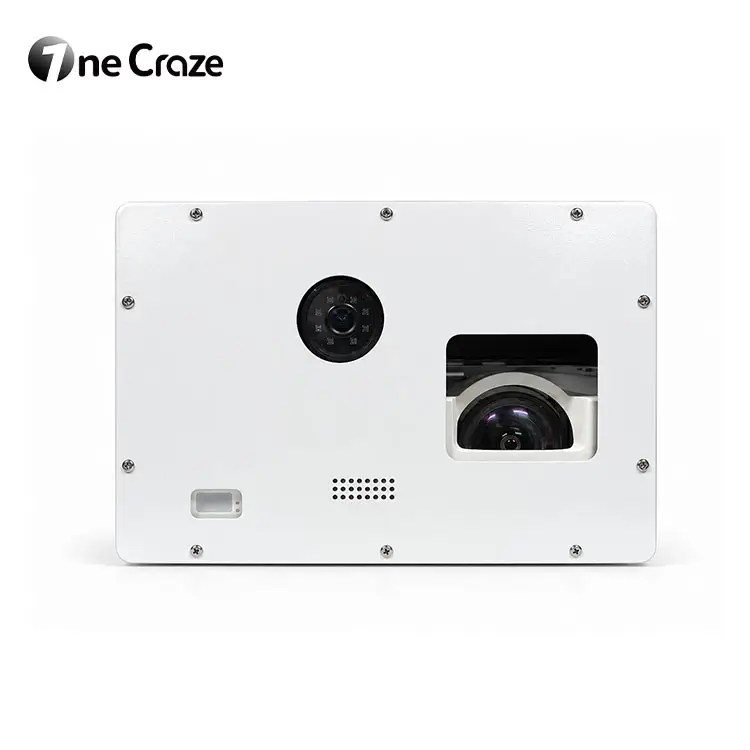
An interactive wall projection system combines projection hardware, sensing, a computer and game software. The projector displays the activity; the sensing and software interpret compatible player actions and change the game in response. An ordinary video projector cannot provide that interaction on its own.
Keep the installation format separate from the interaction method. “Portable” describes how the equipment is positioned or moved. “Ball-throwing,” “body-motion” and “touch” describe different inputs. A touchscreen on the cabinet is an operator control and does not, by itself, prove that the projected wall supports finger touch.
Portable vs fixed interactive wall projectors: the practical differences
Portable all-in-one wall game machines
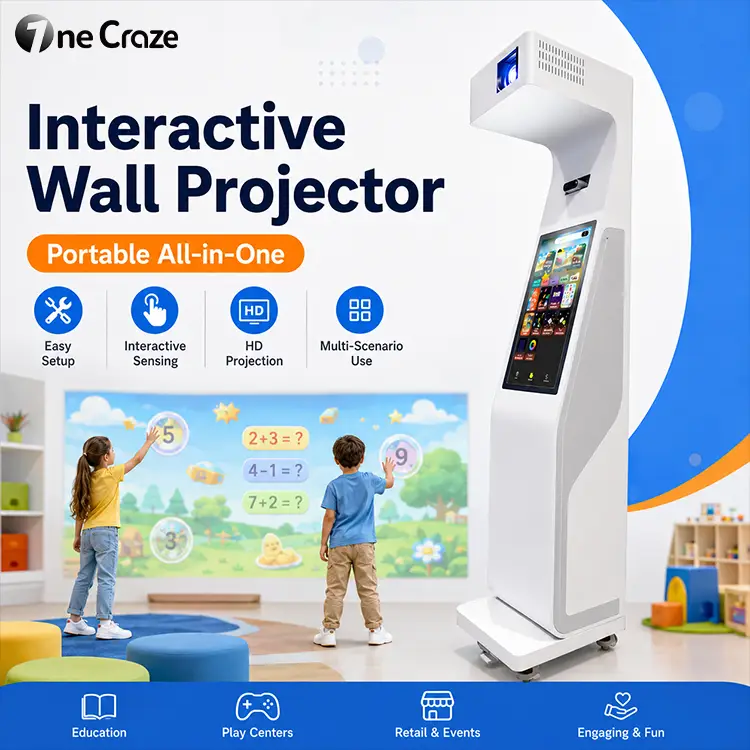
A freestanding unit places key components in a mobile cabinet. It can suit a shared school activity room, a demonstration area or a venue that changes its layout. However, the cabinet still occupies floor space. Plan its position, cable route, player area and storage location together.
Before ordering, check the machine dimensions, weight, door clearances and route between rooms. Ask the supplier to demonstrate what staff must do after moving it: positioning, image alignment, sensing checks and any required calibration. Wheels alone do not establish that setup will be identical in every room.
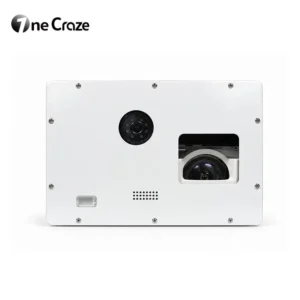
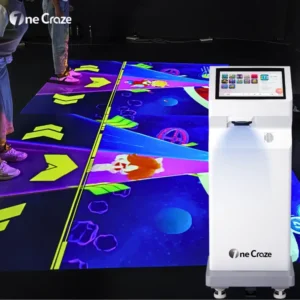
The portable interactive wall game machine with touchscreen is OneCraze’s freestanding option. Its published description brings projection, sensing, software and operator controls into a wheeled unit. Confirm the exact supported games and configuration in your quotation.
Fixed wall and ceiling-mounted systems
A fixed installation keeps equipment in an agreed position and can leave more of the floor available for play. It is worth evaluating for a permanent ball-pit attraction or a dedicated sports game wall. Installation planning must cover the mounting structure, cable routes, equipment access and the relationship between projector, sensor and play surface.
“Fixed” does not mean maintenance-free or that recalibration will never be needed. Ask how staff check alignment, what happens after equipment replacement and how a technician reaches the projector and sensor. A permanent mounting arrangement should be designed for the actual room and installed using the supplier’s instructions.
Which format fits your venue?
- Shared school rooms: assess a portable system when activities move between rooms. Check staff setup time, storage and accessible routes before deciding.
- Permanent indoor playgrounds: assess a fixed system when the wall and play zone will remain in place. Coordinate the projector layout with the ball pit, slide, circulation and maintenance access.
- Sports and recreation rooms: start with the intended action—throwing, reaching or body movement—then compare the installation formats that support it.
- Distributors and integrators: request a repeatable configuration, demonstration procedure and documentation package. Evaluate who will handle positioning, calibration and support at the customer’s site.
These are selection scenarios, not universal rules. If the activity belongs on the floor rather than the wall, use our interactive floor projector buying guide before choosing the equipment family.
Can a portable interactive wall projector support ball-throwing games?
Some configurations can, but buyers should verify the complete combination of sensor, software, game and ball type. Do not infer ball-impact detection from a cabinet photograph or from the phrase “motion sensing.” Request a demonstration of the specific game you intend to operate.
OneCraze’s portable wall projector product information lists ball-throwing among its applications. For a dedicated overhead installation, compare the ceiling-mounted interactive ball throwing wall projector. These are different equipment formats; their placement requirements and included components should be quoted separately.
Ask which balls are approved, whether protective wall finishes are needed, where players should stand and whether the equipment must be outside the throwing path. Request written guidance for the intended activity rather than assuming that every projected game accepts every type of ball.
What wall and room information should you send the manufacturer?
Wall surface, obstacles and lighting
Provide the usable wall width and height, photographs of its finish and details of doors, switches or other obstacles. A flat, light-colored matte surface is generally a useful starting point for projection. Glossy finishes, dark colors and uneven surfaces may affect visibility or alignment. INITI Playground’s wall-selection guidance explains these considerations for its own system; use it as background, not as a substitute for the selected manufacturer’s requirements.
Photograph the room during normal opening hours. Identify windows and lights directed toward the wall. Ask for the proposed image size, projector configuration and a demonstration under comparable lighting. A bright showroom video does not establish performance in your room.
Equipment footprint and player space
Measure the available room depth as well as the wall. The projected image dimensions do not include the machine, player movement, waiting area or circulation. Request a layout drawing that distinguishes these areas and shows both the projection path and sensing coverage.
For a portable unit, include its operating and storage positions. For a fixed system, include ceiling height, possible mounting points and access for servicing. There is no single throw distance or minimum room size that applies to every interactive wall machine.
How to compare supplier quotes without missing installation costs
Compare the complete installed scope, not only the equipment price. A portable unit may reduce some building work, but freight, positioning and commissioning still need clarification. A fixed system may require mounting and cable work that is not included in the machine quotation.
- Hardware: projector model, sensing equipment, computer, controls, enclosure and mounting accessories.
- Software: named games, languages, license duration, offline use, updates and optional content charges.
- Deployment: installation responsibilities, calibration, operator training and any site preparation.
- Delivery and support: packing, freight scope, warranty exclusions, spare parts and remote or on-site support terms.
A factory-direct quotation is most useful when it states what is included and what the venue must arrange. Ask the supplier to identify exclusions explicitly; avoid comparing an equipment-only price with a complete installation proposal.
A pre-order demonstration checklist
- Run the exact game types and languages included in the proposed package.
- Test detection at the center and edges of the intended game area.
- Demonstrate the intended player group, rather than assuming multiplayer capacity from image size.
- Show normal startup, game changes, shutdown and recovery after restarting.
- For a portable unit, move it and demonstrate the checks required before play resumes.
- For a fixed system, review mounting, service access and who completes commissioning.
Frequently asked questions
Does a portable wall projector need ceiling mounting?
A freestanding all-in-one cabinet does not use the same overhead mounting arrangement as a ceiling unit. It still needs a suitable operating position, power access and the clearance specified for its configuration.
Is a portable wall projector cheaper than a fixed system?
Not necessarily. Compare equivalent hardware, games, delivery and installation scope. The room work and support included in each offer can change the total project cost.
Can I use the same machine in different rooms?
A mobile model can be evaluated for shared use, but each room must meet its placement and lighting requirements. Ask whether moving the equipment requires alignment or recalibration and test the actual transport route.
Is an interactive reaction wall the same as a ball-throwing wall?
The terms can overlap in marketing, but they do not guarantee identical functionality. A reaction activity may use reaching, touch or another input, while a ball game needs compatible ball detection. Specify the intended action and request a demonstration.
What should I provide to receive a useful equipment quote?
Send venue type, wall and room dimensions, ceiling height, photographs, lighting conditions, intended games, expected player group, quantity and destination country. State whether the equipment must move between spaces and whether drilling is permitted.
Request a wall projection solution for your project
OneCraze manufactures and supplies interactive projection equipment for commercial buyers. Explore our interactive machine categories, or send your wall dimensions and project requirements to discuss a portable or fixed configuration. Ask for a written equipment scope and installation requirements before placing an order.